Workbook-ready intake
Load Excel workbooks with up to 50,000 rows, select a worksheet, and map recipient fields without reshaping the source file.
PRIVATE BY DEFAULT. PERSONAL BY DESIGN.
From your spreadsheet to their inbox.
Personalized Gmail campaigns. Your data stays yours.

Privacy comes first
We never store your workbook data or email content for our own use, and we never sell it to anyone. Your data is processed only to perform the actions you request.
Your information is never sold or shared for advertising.
Your content is not reused for training, profiling, or marketing.
You remain in control of every source file, recipient, and mail.
One operational workspace
MailMerge EZY keeps preparation, document design, validation, sender settings, and final delivery in one predictable sequence. The interface stays close to the data so large batches remain inspectable.
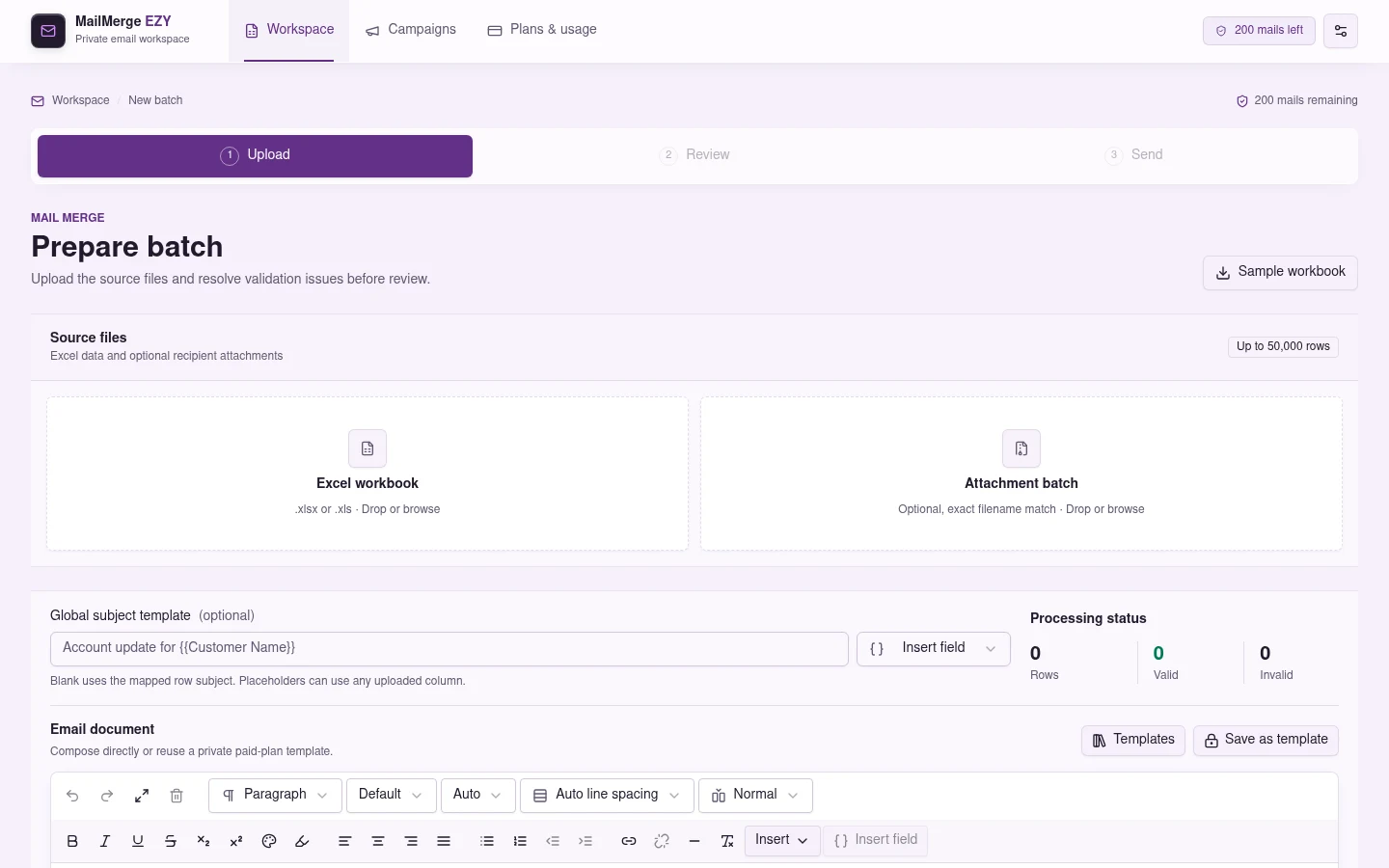
Workbook intake
Upload Excel and attachment batches, choose the worksheet, map recipient fields, and see processing status in one view.
Load Excel workbooks with up to 50,000 rows, select a worksheet, and map recipient fields without reshaping the source file.
Build rich HTML mail and insert spreadsheet fields. Paid plans can save the subject, document, and recipient mappings as private reusable templates.
On paid plans, combine related rows into one mail, sort grouped records, and generate content-sized email tables for operational summaries.
Upload an attachment batch and match files by exact filename so every reviewed recipient receives the intended documents.
Validate addresses, placeholders, files, group sizes, and selected rows before any mail leaves the workspace.
Send through Google OAuth from the selected Gmail account with account ownership checks and daily quota enforcement on the server.
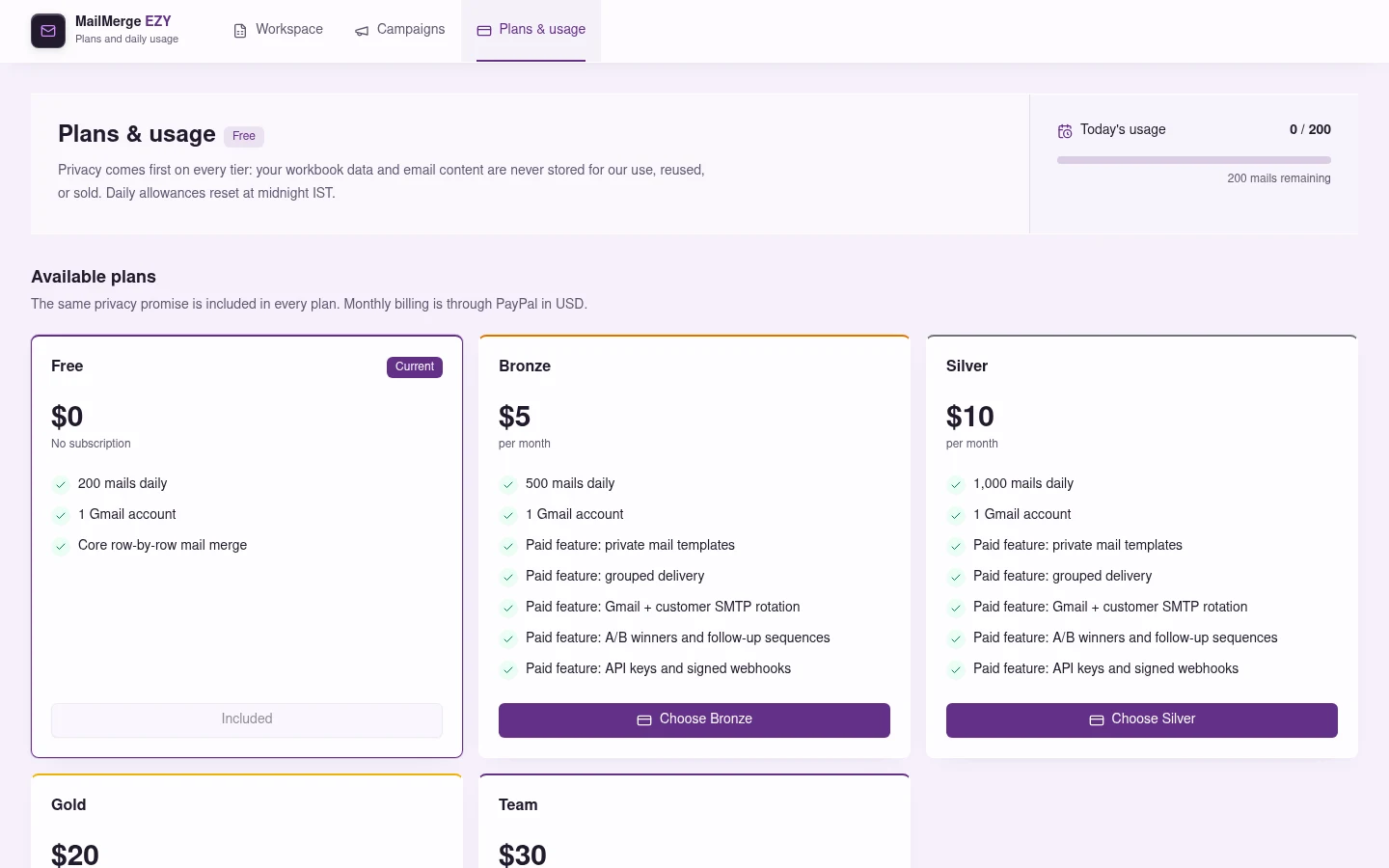
Keep reusable contact lists and campaigns without an app-imposed count cap. Bronze, Silver, and Gold can rotate across Gmail and verified customer SMTP routes; Team supports two Gmail senders, with rotation in second-Gmail mode. Plan and provider limits still apply.
Schedule campaigns, test A/B samples, release the winning variant, and run timed or engagement-aware follow-ups. Scoped API keys and signed webhooks connect external workflows.
Review-first delivery
Each stage has a defined decision: resolve the source, approve the generated mails, then authorize external delivery.
Upload the workbook and optional attachments, choose a sheet, then map the columns used by the mail.
Inspect generated recipients, content, grouped tables, and validation results before selecting the final send set.
Choose the connected Gmail sender, confirm the batch, and track each row as it succeeds or returns an actionable error.
Designed for accountable sending
Quotas are enforced before delivery, failed reservations are rolled back, and Team accounts keep sender options explicit. Gmail's own policies and account limits still apply.
Authenticated ownership checks protect Gmail tokens, subscriptions, and daily usage.
See remaining capacity before a batch reaches final confirmation.
Use a secondary Gmail or invite one user, with 3,000 mails/day collectively.
Track successful and failed rows without losing the reviewed source context.
Start free, connect Gmail, and follow the same controlled workflow from workbook upload to final confirmation.